We use cookies for statistics, personalized content and advertising.
FAQ - Frequently Asked Questions
On this page you'll find the most common questions and answers about Taurus Gaming computers.
Apart from the power cable to the computer, you generally don't need to use any of the other cables that come with the computer. They're included to make it easier for you to upgrade your computer in the future, if you want to add more storage later, for example.
You always want to connect the monitor to the computer's graphics card, otherwise you won't get any use from the graphics card. There's often a video connection on the computer's motherboard as well, but that's only intended to be used if you don't have a graphics card.
You can access the graphics card's video connections on the back of the computer, they're located a bit below the motherboard's connections. On regular tower computers, the graphics card will be horizontal and only have video connections, while the motherboard is vertical and has several different types of connections.
Your Windows license is already linked to your computer and saved in the motherboard's memory, so you don't need to activate the license.
If you replace the motherboard in the future, you'll need to log into your Microsoft account or contact Microsoft to unlink the license, so you can transfer it to your new motherboard.
There are several different ways to control the computer's fan speeds, such as programs you can use in Windows, but the most basic way to do it is to change the fan curve in BIOS.
To access BIOS, press DEL or F12 (it says on the screen which key to press) when the computer starts up. Once in BIOS, you want to navigate to fan control and adjust the fan curve until you get a good noise level without compromising cooling. In some modern motherboard BIOS there may also be automatic adjustments that do this for you, so try that if it's available.
The easiest way to reinstall Windows is to use the built-in recovery tool in the operating system. Click on the start menu and search for "Reset this PC". Then click "Reset PC" and choose whether you want to remove everything or keep your files.
On a modern computer, reinstalling Windows doesn't make as much difference as it used to, but if you're changing graphics cards, for example, it can be a good idea to do it to safely remove old drivers.
If something goes wrong with your new computer or if you just have questions, you're always welcome to contact our customer service at support@taurusgaming.com
We have Swedish support that responds every weekday and they can help with everything from purchasing advice to technical guidance and troubleshooting.
Yes, on most of our Taurus computers it's possible to add more RAM later, and as long as you use the right type of memory and install them correctly, it won't affect the warranty. On the product page for your computer you can see how many free memory slots there are for your specific computer.
We recommend using the same type of memory that's already in the computer to get expected performance and stability. When you increase the amount of memory, you may sometimes need to lower the speeds to achieve good stability - the more memory you have, the harder it becomes to reach higher speeds.
For a modern gaming computer in the entry-level segment, we recommend at least 16 GB RAM, and for a higher-performance computer we recommend 32 GB. We always choose an appropriate amount of memory for our Taurus computers, so you don't need to think about that when purchasing.
If you're going to do more demanding things than gaming, it may be worth adding more memory later, but for gaming it's more than enough. More memory than you need won't give you more gaming performance.
For a good gaming experience, we recommend choosing a combination of computer and monitor that gives you good frame rate (FPS) in the games you want to play. If you have a monitor with 1440p resolution, for example, we recommend choosing a Taurus Hardcore Gaming rather than a Pro Gaming, as they have more power for the higher resolution. Pro Gaming is better suited for 1080p.
What counts as good FPS depends on the type of game you play and your requirements. If you mostly play slow-paced RPGs, 60 FPS is more than enough, but for fast first-person shooters you generally want at least 100 FPS for good flow - preferably even higher. Keep in mind that you can often get much higher FPS by adjusting game settings, for even better flow.
We think future-proofing is important. That's why we build all Taurus computers with genuine computer parts from well-known manufacturers, so you can easily upgrade your computer in the future.
By upgrading the computer, you can extend its lifespan instead of buying a completely new computer, which is good for both your wallet and the planet. The graphics card is the part you usually benefit most from replacing after a few years, and it's very easy to replace.
The graphics card is the component that largely determines gaming performance, but to get the most out of the graphics card, you also want a processor that keeps pace.
With our Taurus computers, we always make sure to choose processors and graphics cards that work well together, so you get the most for your money.
However, it's good to know that the graphics card becomes more important at higher resolutions and in more demanding games, while the processor plays a bigger role at lower resolutions and in less demanding games. If you want to get the highest possible FPS in an esports game and are choosing between two similar computers, you want to choose the one with the best gaming processor (such as an AMD Ryzen X3D processor).
A good gaming PC primarily needs a graphics card and processor that give you a good gaming experience in the games you play, at the resolution you play at.
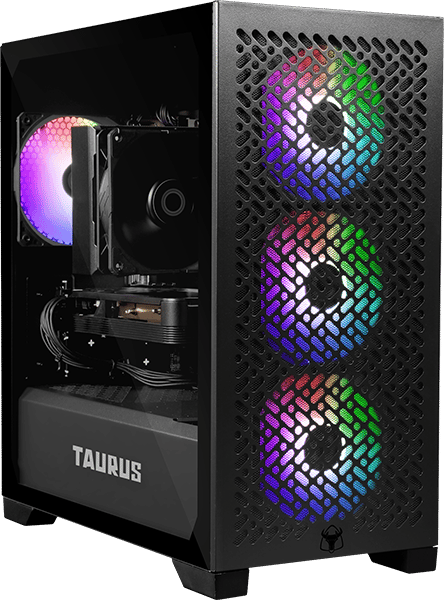
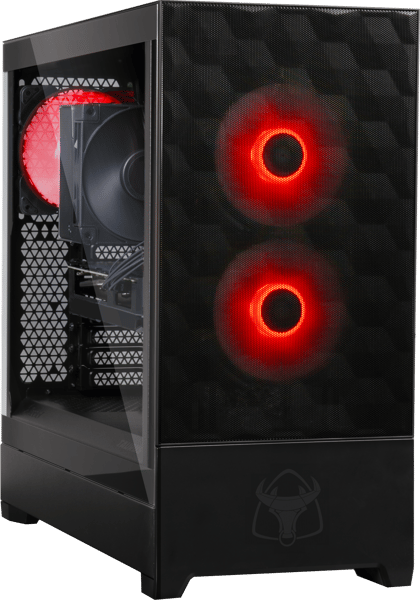
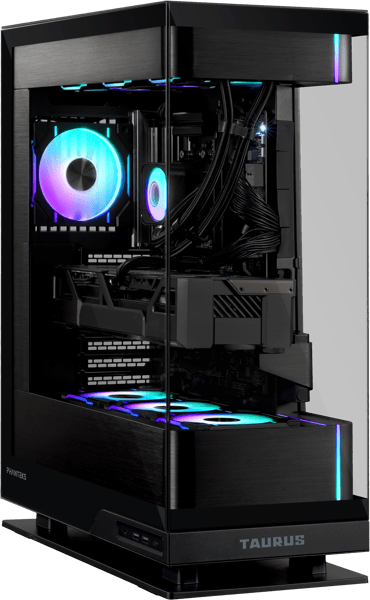
With Taurus, we make it easy to find a good computer. For 1080p we recommend Pro Gaming, for 1440p we recommend Hardcore Gaming, and for extremely high performance at lower resolutions or good performance in 4K we recommend Endgame.
If you want a tailored recommendation, you're always welcome to contact support@taurusgaming.com for free, personal advice.
Taurus computers are built with high-quality components from well-known and reliable manufacturers. To ensure the computers last long and are easy to upgrade, we exclusively use components that follow industry standards, so you can easily find and replace parts in your Taurus computer if you want to change any component in the future.
We offer Taurus computers for all budgets, whether you want to buy your first computer at a reasonable price or you're an esports professional who wants the best performance possible.
There are many reasons to choose a computer from Taurus.
You get a ready-to-go computer quickly and easily that's ready for gaming straight out of the box, built by professionals here in Sweden with hand-picked parts. We have completely clean Windows installations and use exclusively regular computer parts from well-known manufacturers, so you can extend the lifespan by upgrading the computer in the future.
On top of all that, you also get a 3-year warranty and knowledgeable, free Swedish support that can help you with everything from purchasing advice to technical support. And we have both free shipping and free returns.
We offer a 3-year warranty on all our Taurus computers, and if something goes wrong you always have free access to our Swedish support at support@taurusgaming.com. It's safe and easy to choose Taurus.
Nothing. We offer free shipping and free returns on all our Taurus computers.
We offer a 30-day return policy on all our Taurus computers.
You can reach us at support@taurusgaming.com every weekday. We have Swedish support that's happy to help you with everything from purchasing advice to technical support and troubleshooting.
All Taurus computers are assembled by professionals in Mölndal, in Sweden's largest PC production facility. Over 75,000 computers have been built there since 2008, so there's plenty of experience and expertise.